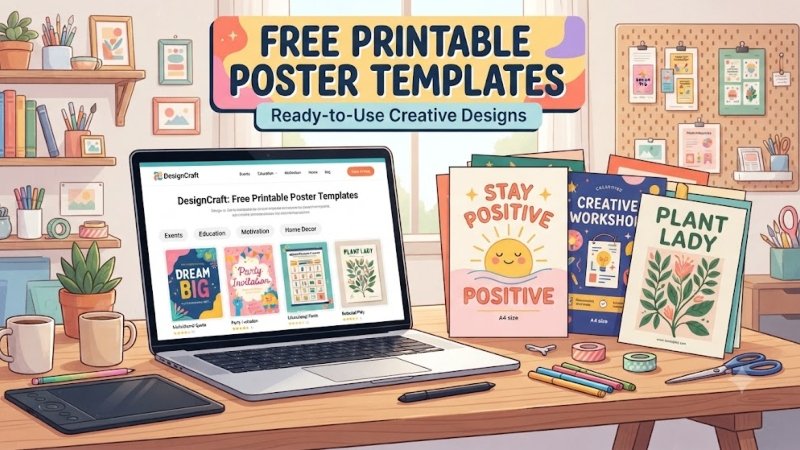
Creating a professional poster has never been easier. You no longer need expensive software or graphic design skills.
Free printable poster templates let you design attractive posters in just a few minutes. They work well for businesses, schools, events, and personal projects.
In 2026, many design platforms also include AI tools. These features help generate layouts, edit images, and speed up the design process.
Today’s poster trends focus on clean layouts, bold headlines, and simple visuals. A well-designed template helps your message stand out.
This guide shows you where to find free printable poster templates, how to customize them, and how to create posters that look professional.
What Are Free Printable Poster Templates?
Free printable poster templates are ready-made designs. You simply replace the sample content with your own text, images, and colors.
Most templates work with beginner-friendly design tools. You don’t need any professional design experience to use them.
You can find templates for:
- Business promotions
- School projects
- Events
- Birthday parties
- Restaurant menus
- Charity campaigns
- Holiday celebrations
- Motivational posters
Instead of designing everything from scratch, you edit the template and download it for printing or digital sharing.
Why Use Poster Templates?
Poster templates save both time and effort. They also help create clean and professional designs.
Some of the biggest benefits include:
- Save time
- Easy to customize
- Beginner-friendly
- Professional appearance
- Great for print and digital use
Many platforms now include AI-powered tools. These features suggest layouts, resize designs, and speed up editing.
Best Websites to Find Free Printable Poster Templates
Several websites offer free poster templates. Each one has its own strengths.
Canva
Canva is one of the easiest design tools available. Its drag-and-drop editor makes customization simple for beginners.
You can quickly change text, colors, images, and graphics. It also includes useful AI-powered design features.
Adobe Express
Adobe Express offers professionally designed templates with a simple online editor.
Its AI tools can remove backgrounds, generate images, and improve layouts in just a few clicks.
PosterMyWall
PosterMyWall is ideal for promotional posters, restaurant menus, school projects, and events.
It offers thousands of ready-to-edit templates that are easy to customize.
VistaCreate
VistaCreate provides modern templates for both print and digital projects.
Its clean interface makes editing fast, even if you’ve never designed a poster before.
How to Choose the Right Template
Not every poster template fits every project. Choose one that matches your goal before you start editing.
Ask yourself a few simple questions.
- Who is your audience?
- Will you print the poster or share it online?
- What is the main message?
- Does the design match your brand or event?
A business poster usually looks better with a clean layout and bold text. A school or birthday poster works well with bright colors and fun graphics.
Choosing the right template first saves time and gives you a better final result.
Best Free Printable Poster Templates by Category
Different projects need different poster styles. Choosing the right template makes your design more effective.
Business Posters
Business templates work well for sales, product launches, promotions, and company announcements. They usually feature clean layouts, bold headlines, and space for branding.
School Posters
School templates are perfect for classroom projects, science fairs, educational events, and student presentations. They focus on clear information and easy readability.
Event Posters
These templates are designed for concerts, workshops, conferences, festivals, and community events. They highlight important details like the date, time, and location.
Restaurant Posters
Restaurant templates help promote menus, special offers, seasonal dishes, and grand openings. High-quality food images often make these designs more appealing.
Real Estate Posters
Real estate templates are useful for property listings, open houses, and rental promotions. They usually include large photos and clear contact details.
Healthcare Posters
Healthcare templates work well for clinics, hospitals, awareness campaigns, and public health events. They use simple layouts that make important information easy to understand.
How to Customize a Poster Template
Editing a template is simple. Most online design tools let you customize everything with just a few clicks.
Choose a Design Tool
Open your template in a platform like Canva, Adobe Express, PosterMyWall, or VistaCreate.
Most tools work directly in your web browser, so there’s nothing to install.
Replace the Sample Content
Change the default text with your own headline, details, and contact information.
Keep your message short and easy to read.
Replace stock images with your own photos or graphics that match your design.
Update Colors and Fonts
Choose colors that fit your brand or event.
Use no more than two or three fonts to keep the design clean and consistent.
Bold headlines and strong contrast make posters easier to read.
Prepare for Printing
Check the design before downloading.
- Fix spelling mistakes.
- Use high-quality images.
- Leave enough white space.
- Export the file as a high-quality PDF.
- Select the correct paper size.
A quick final review can save you from costly printing mistakes.
Best Poster Sizes for Printing
The right size depends on where your poster will be displayed.
Here are the most common options.
| Poster Size | Best For |
|---|---|
| A4 | Notices and handouts |
| A3 | School projects |
| 11 × 17 in | Business promotions |
| 24 × 36 in | Events and retail displays |
Choose a size that matches your audience and display location.
AI Tools That Make Poster Design Easier
AI has made poster design faster than ever.
Many platforms now include smart tools that help create professional designs in minutes.
Popular AI tools include:
- Canva AI
- Adobe Express AI
- Microsoft Designer
- VistaCreate
These tools can suggest layouts, remove backgrounds, generate images, and improve your design automatically.
Always review the final poster before printing or publishing.
Poster Design Trends in 2026
Poster design continues to evolve with new technology and changing audience preferences. Following current trends can make your posters look more modern and engaging.
AI-Assisted Design
AI tools now help create layouts, edit images, and suggest color combinations. They save time while making the design process easier.
Bold Typography
Large, eye-catching headlines remain one of the biggest design trends. Clear typography helps people understand your message quickly.
Minimalist Layouts
Simple designs with fewer elements often perform better than crowded posters. White space also improves readability.
QR Codes
Many posters now include QR codes that link directly to websites, event registrations, menus, or online stores.
Eco-Friendly Printing
Many businesses choose recycled paper and environmentally friendly inks to reduce waste while maintaining professional print quality.
Accessible Color Choices
Designers increasingly use high-contrast colors that make posters easier to read for everyone, including people with visual impairments.
Print vs. Digital Posters
Think about where people will see your poster before you start designing.
| Print Posters | Digital Posters |
|---|---|
| Best for stores and events | Best for websites and social media |
| Use high-resolution files | Optimized for screens |
| CMYK color mode | RGB color mode |
| Printed on paper | Shared online instantly |
Creating separate versions for print and digital use helps your design look its best everywhere.
Common Poster Design Mistakes
A good template can still look unprofessional if you make simple design mistakes.
Avoid these common problems:
- Using too many fonts
- Adding too much text
- Choosing low-quality images
- Ignoring spacing and alignment
- Using colors with poor contrast
- Forgetting to proofread
A clean and simple design usually creates a stronger impression than a crowded one.
Tips for Creating a Professional Poster
A few small changes can make your poster look much better.
Start with a clear headline that grabs attention.
Keep your text short and easy to scan.
Use one strong image instead of several small ones.
Choose colors that match your brand or event.
Leave enough white space to improve readability.
Add a QR code or contact details if people need to learn more.
Before printing, always check your design one last time for mistakes.
Free vs. Premium Poster Templates
Both free and premium templates have their advantages.
| Free Templates | Premium Templates |
|---|---|
| No cost | More unique designs |
| Great for beginners | Extra customization options |
| Quick to edit | Advanced graphics and layouts |
| Limited features | Better for business branding |
If you only need a simple poster, free templates are usually enough. Premium templates are a better choice for businesses that want a more unique design.
Frequently Asked Questions
Where can I find free printable poster templates?
You can find them on Canva, Adobe Express, PosterMyWall, and VistaCreate.
Can beginners customize poster templates?
Yes. Most platforms use simple drag-and-drop editors that anyone can use.
Which file format is best for printing?
A high-quality PDF is the best choice because it keeps your design sharp and clear.
Can I use AI to design posters?
Yes. Many design tools include AI features for layouts, image editing, and design suggestions.
What paper is best for printing posters?
Thicker paper or cardstock usually gives a more professional finish.
Can I use free templates for commercial projects?
Some templates allow commercial use, while others have restrictions. Always check the platform’s license before publishing or selling your design.
Can I print posters at home?
Yes. Small posters can be printed at home with a quality printer and the correct paper.
Final Thoughts
Free printable poster templates make designing faster, easier, and more affordable.
Whether you’re creating a business advertisement, school project, event flyer, or promotional poster, a good template helps you produce professional results without starting from scratch.
Choose a template that fits your purpose, keep the design simple, and use high-quality images. AI-powered design tools can save time, but your final review is still important.
With the right template and a few smart design choices, you can create posters that look great both online and in print.